

How to Build an Agentic AI Food Delivery App Chat Support With Knoon in Less Than an Hour
Customer support is one of the most painful parts of running a food delivery app. Users expect fast, accurate responses especially when something goes wrong with their order. But most delivery-app chat systems today still rely on outdated flows and poorly-designed bots that frustrate customers instead of helping them.
In this article, we’ll explore why food delivery app chat support fails, and how you can build a fully automated, AI-powered, multi-agent support system using Knoon with tools, actions, visual context, escalation, and human-in-the-loop all included.
Why Delivery App Chat Support Often Fails
1. One bot handling everything results in mistakes
Most food delivery apps rely on a single support bot to handle every issue, but this often becomes a case of “Jack of all trades and master of none.” When one bot manages missing items, refunds, and nutrition questions all at once, it frequently misreads the situation. A customer asking for help with a missing side dish may instead receive a nutrition breakdown, leading to frustration and a loss of trust.
This happens because:
- There’s no agent routing
- There are no specialized agents
- The bot doesn’t understand context deeply
With Knoon, you can create multiple specialized agents:
- Main Support Agent
- Delivery Issue Agent
- Nutrition Information Agent
- Billing / Refund Agent
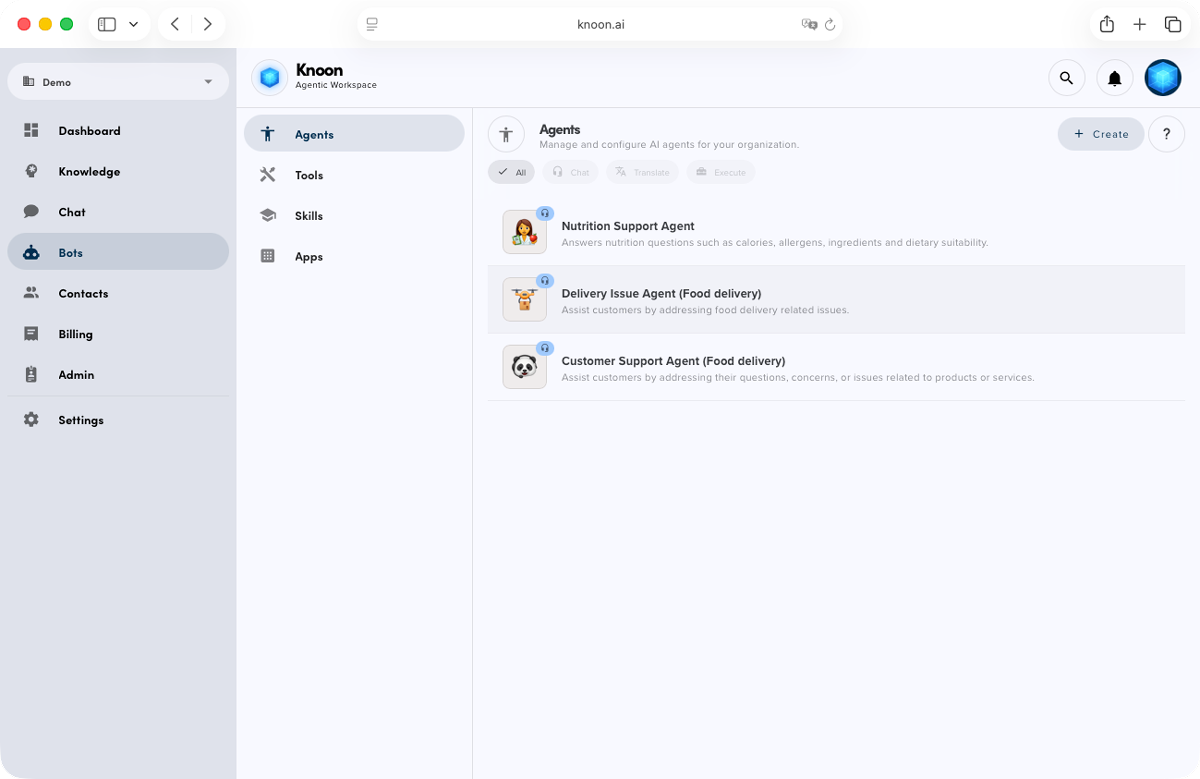
Knoon automatically routes the message to the correct agent. If the request is unclear, the primary support agent delegates to the right agent just like a real team.
2. Agent cannot perform real actions
Most chatbots can only answer questions… and that’s it. Anything involving account lookup, refund requests, order checks still needs a human.
This creates:
- Long waiting times
- Unnecessary manual workload
- Poor customer experience
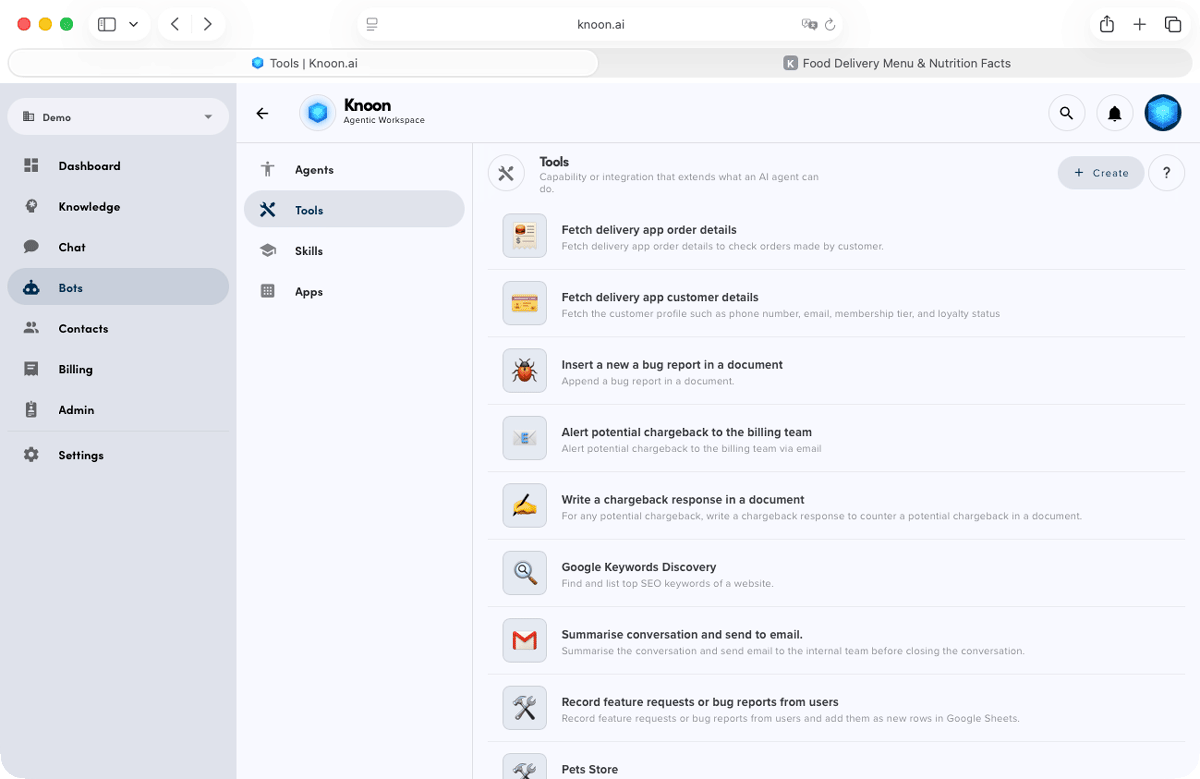
Knoon agents can take real action. Delivery apps can enable tools and connect them to specific agents, allowing them to perform tasks such as:
- Check delivery order status
- Fetch customer details
- Process refunds via API
- Submit missing-item reports
- Apply promo credits
Your chatbot becomes an autonomous support team, not just an FAQ.
3. Rigid, linear flows make users feel trapped instead of understood
Traditional bots force customers through rigid, step by step processes. If a customer describes the issue in a slightly different way or adds extra details, the traditional bot often fails to understand and forces them to start over.
This makes support slow and frustrating. Knoon removes these limitations by understanding intent, adapting to the conversation, and guiding the user naturally without restarting the flow. Agents understand:
- Context
- Intent
- Conditions
- Missing information
If a tool requires customer name, delivery order number, and missing items, Knoon will:
- Understand what the user already provided
- Ask only for what is missing
- Complete the flow automatically
- File the report or refund request via your API
Your customers don’t have to think. The agent does.
4. High manpower cost or expensive enterprise systems
Many delivery startups face a difficult choice between hiring a full customer service team, which comes with high ongoing salary costs, or adopting enterprise support software that charges expensive modular fees.
Knoon eliminates this dilemma by offering an affordable, all-in-one platform that provides everything you need without the heavy price tag.
In Knoon, you get:
- CMS
- Knowledge Base
- AI Chat
- Ticketing
- Tools & API actions
- Inbox
- Agent routing
- Bring your own authentication
- Visual context… for one flat fee.
No hidden charges. No per-ticket cost. No unpredictable bills.
5. Agents without visual ability cannot read attachments
Most support bots are unable to process images or PDFs, which means they cannot read receipts, invoices, or delivery slips. This limits their ability to handle customer issues that rely on information extracted from images or documents.
But delivery apps often deal with:
- Handwritten notes
- Paper invoices
- Photo of delivered bags
- Receipts with item breakdowns
Knoon agents come with built-in visual abilities, allowing them to read order IDs, item names, prices, timestamps, and store names directly from receipts or invoices. Once the information is extracted, the agents can automatically file a refund, update the ticket, or ask any necessary follow-up questions. All of this works seamlessly out of the box, with no additional setup required.
How to Build Your Delivery App Support System in Knoon
Here’s a complete guide to building your delivery app support experience in less than an hour.
Step 1: Create Your Support Agents
You will need multiple agents to handle the variety of questions your users may ask. In this example, we’ll create three key agents: a main support agent, a nutrition support agent, and a delivery issue agent.
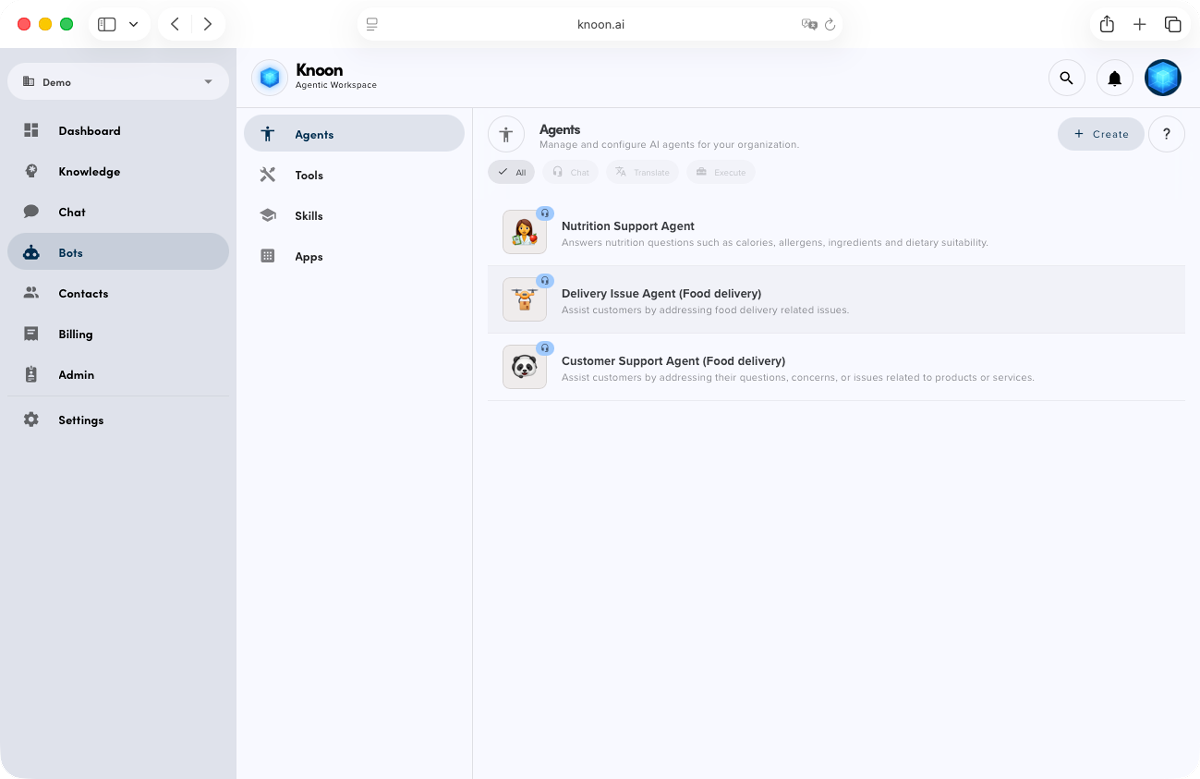
1. Main Support Agent
The main support agent reads all incoming user messages first, determines the intent behind each request, and routes the conversation to the appropriate specialist agent when needed. It also handles general inquiries such as:
- Payment questions
- Promo code issues
- Common app-related problems
2. Nutrition Support Agent
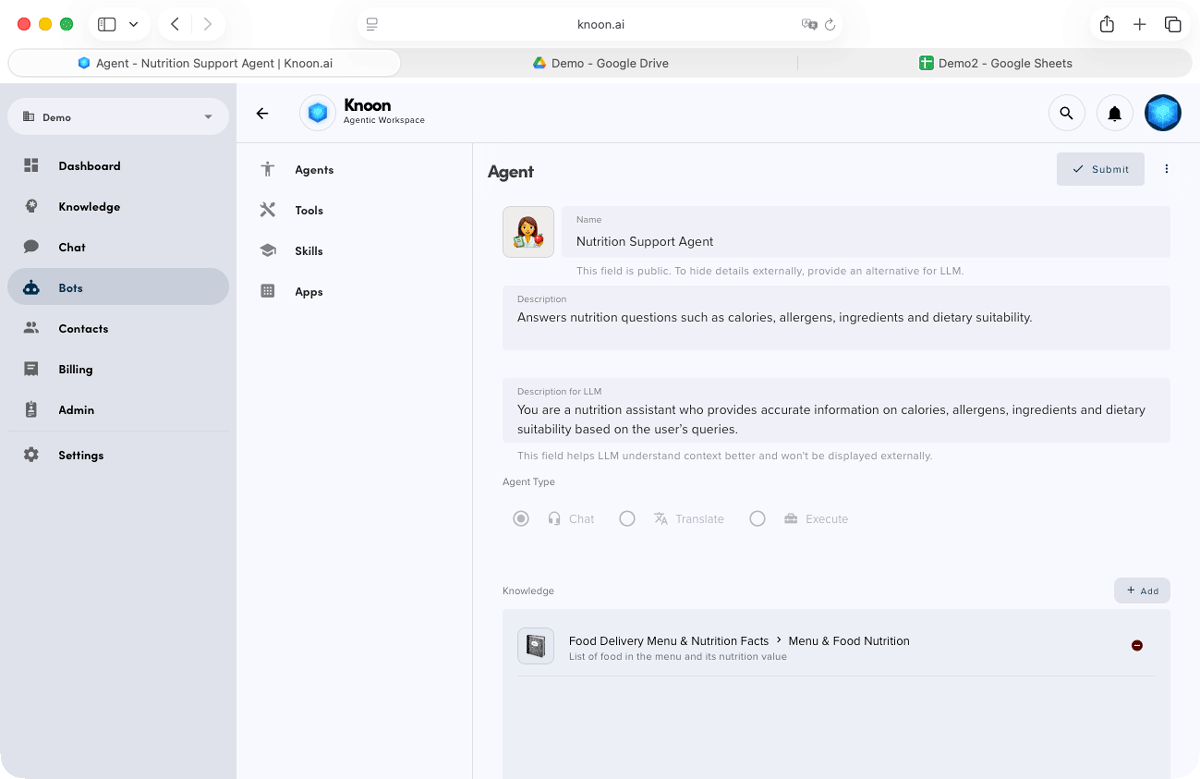
The nutrition support agent handles all food-related inquiries, including calories, allergens, ingredient details, and dietary restrictions. It draws information directly from your knowledge base (or nutrition end-point) to provide accurate and consistent answers. It answers questions like:
- Calories
- Allergens
- Ingredient lists
- Dietary restrictions
3. Delivery Issue Agent
The delivery issue agent manages all order-related problems, including missing or incorrect items, damaged packaging, cold food complaints, and late deliveries. It is fully integrated with your refund tools and delivery status APIs, enabling it to resolve issues and process actions automatically. It handles:
- Missing items
- Wrong items
- Damaged packaging
- Cold food complaint
- Late delivery issues
Step 2: Connect Tools to Each Agent
Main Support Agent Tools
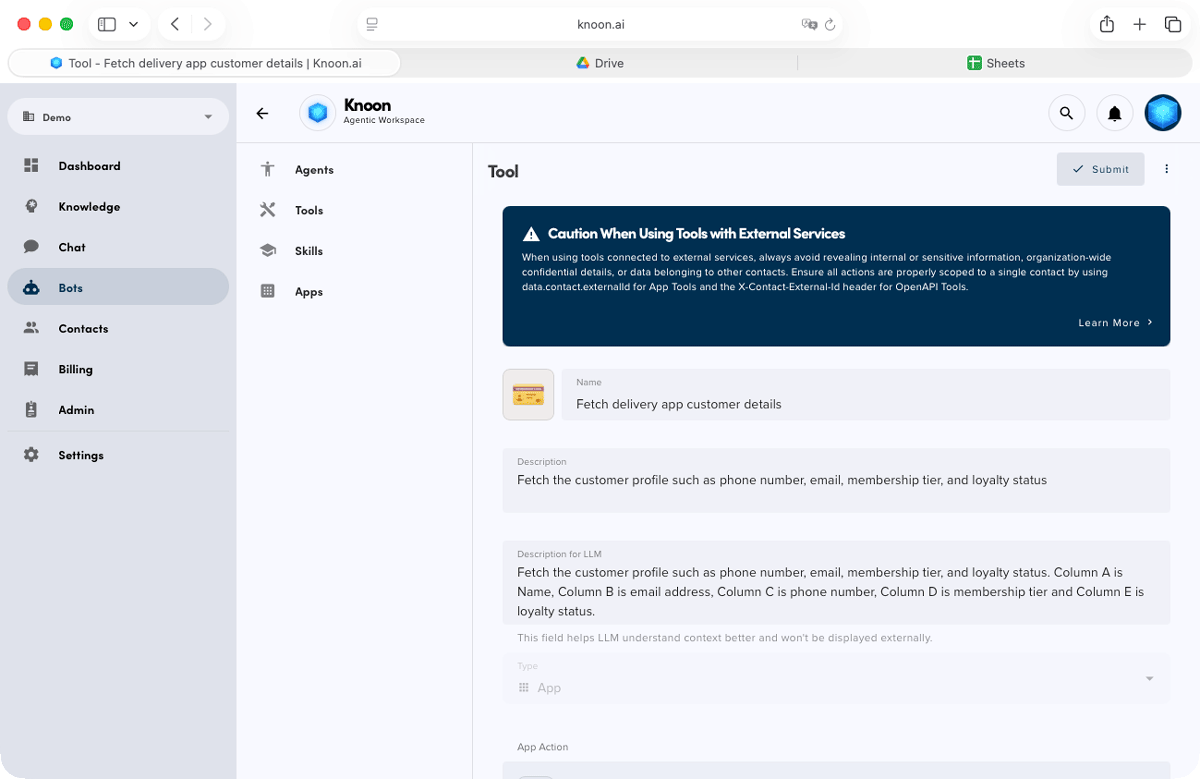
The main support agent is equipped with several tools that enable personalized and context aware support, including:
- OpenAPI to fetch the customer profile such as phone number, email, membership tier, and loyalty status
- OpenAPI to retrieve the customer’s order history
- Optional OpenAPI to update customer profile information
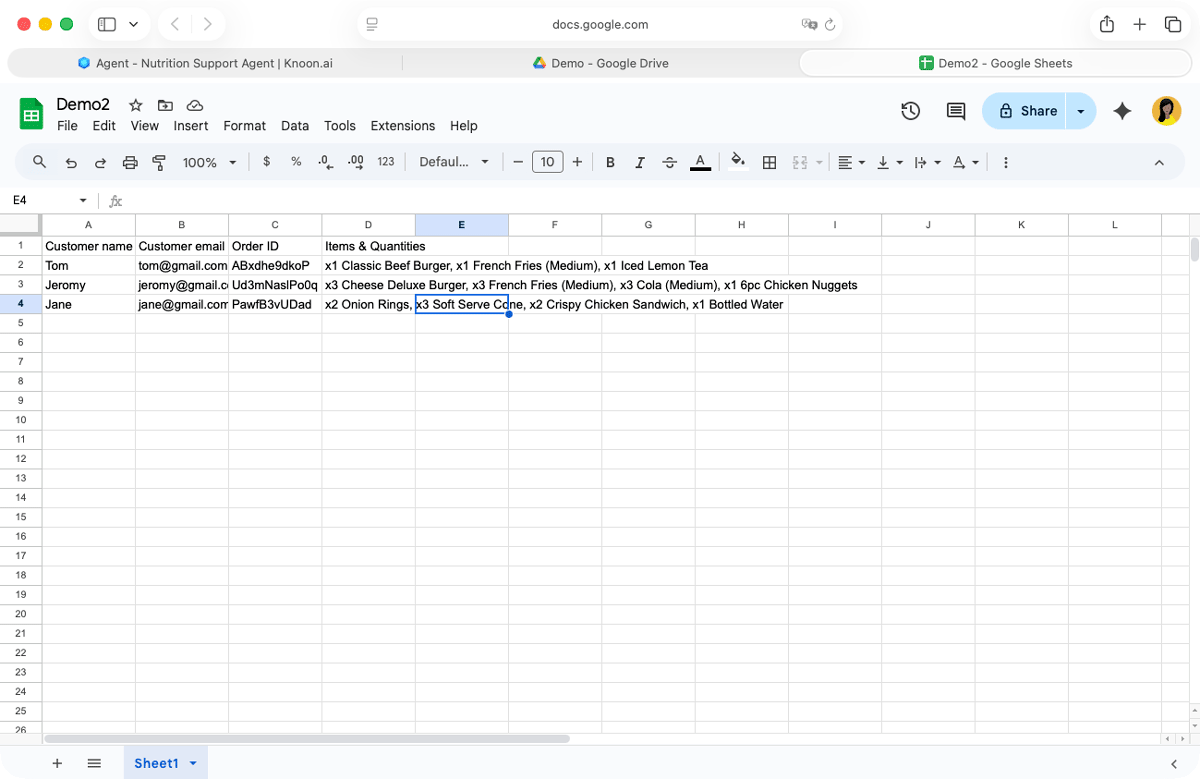
To demonstrate Knoon’s capabilities, we’ll use a simplified setup using Knoon and Google Sheets. In this example, we create a tool to fetch customer details from the Google Sheets. We used the tool "Find First Matching Row" to find the details of customer by matching the email address. We provide a clear description for the LLM and specify the sheet layout: Column A contains the customer’s name, Column B the email address, Column C the phone number, Column D the membership tier and Column E the loyalty status.
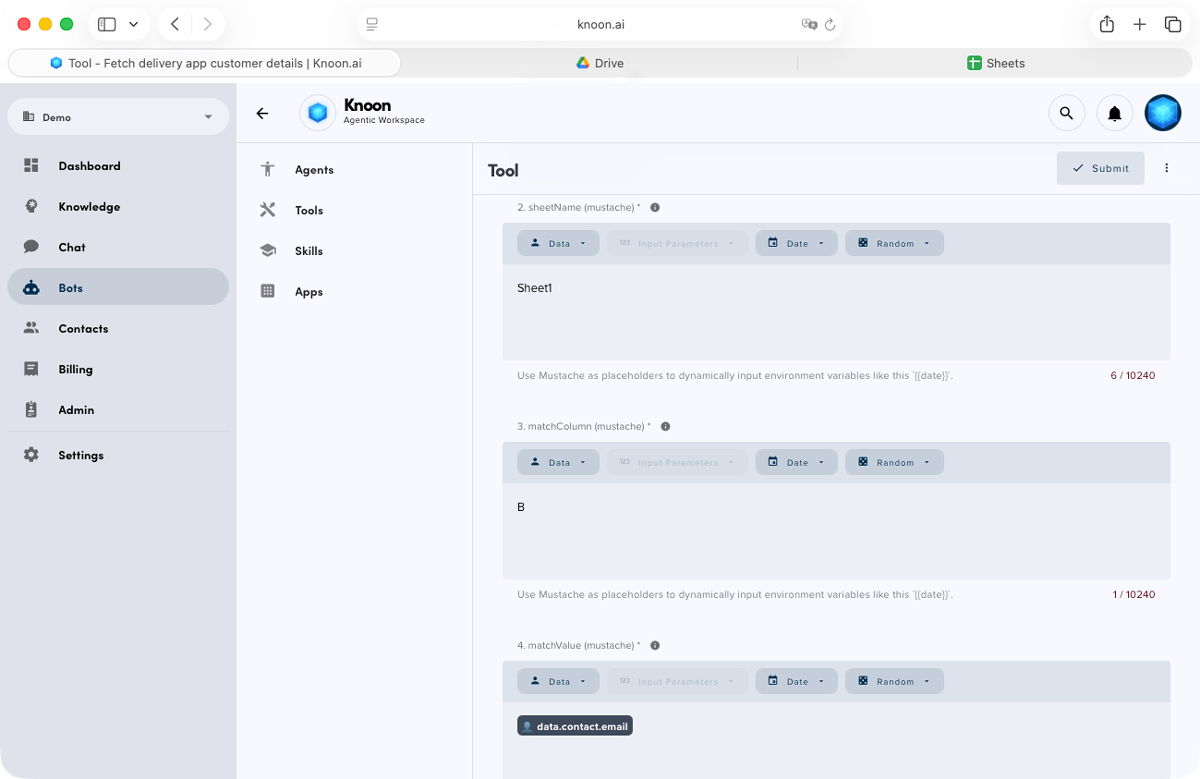
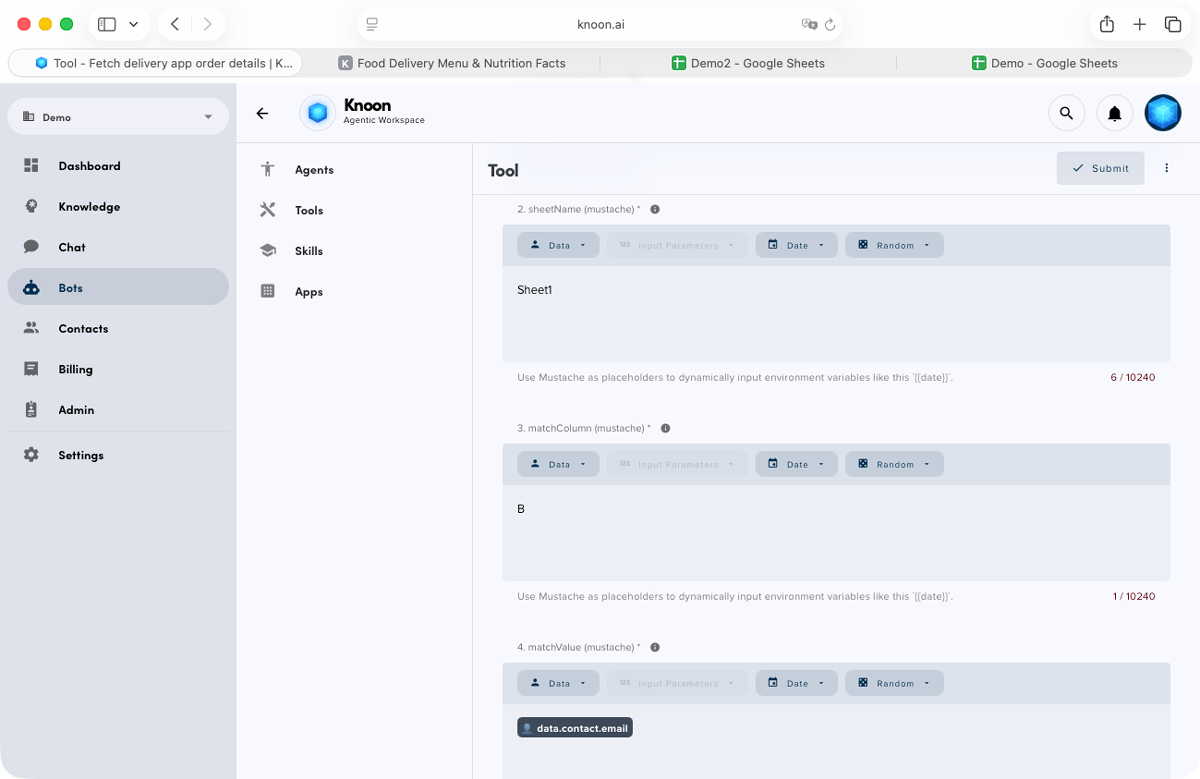
Next, we match the sheetName to Sheet1, choose column B as the email column and use the contact’s email address as the matchValue.
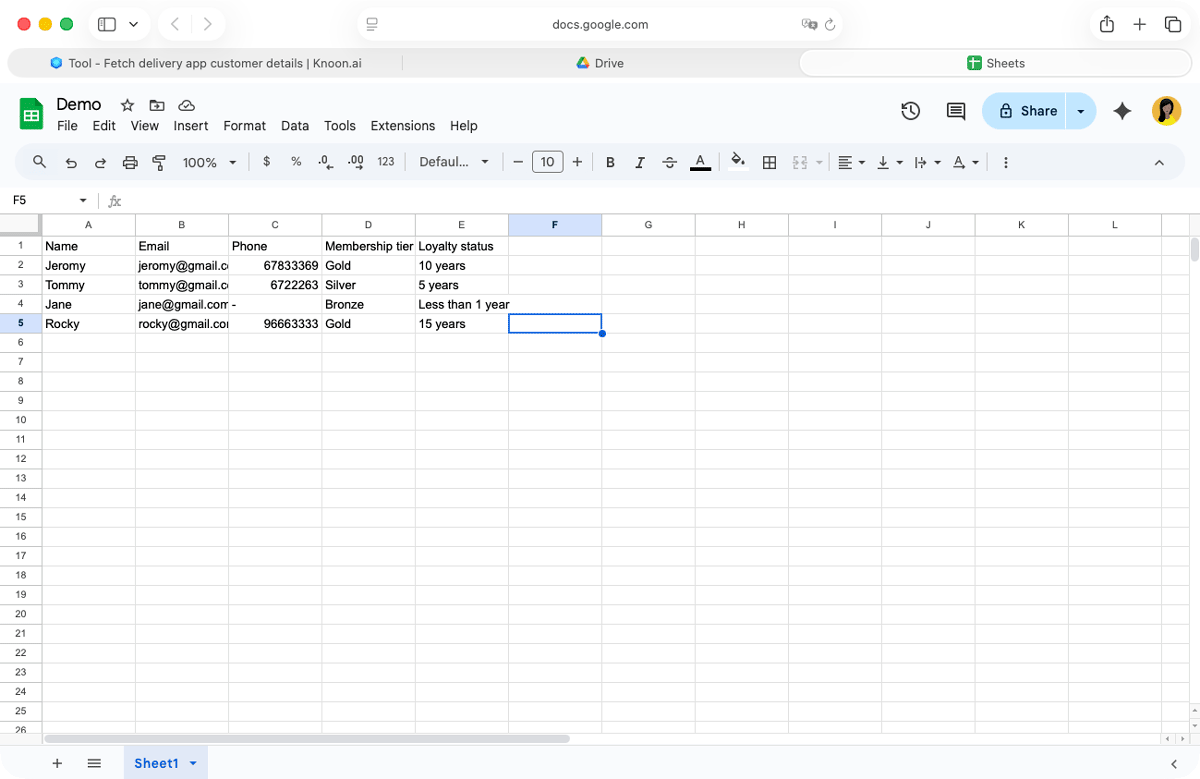
The tool now matches the user by comparing the contact’s email with the Google Sheet.
Delivery Issue Agent Tools
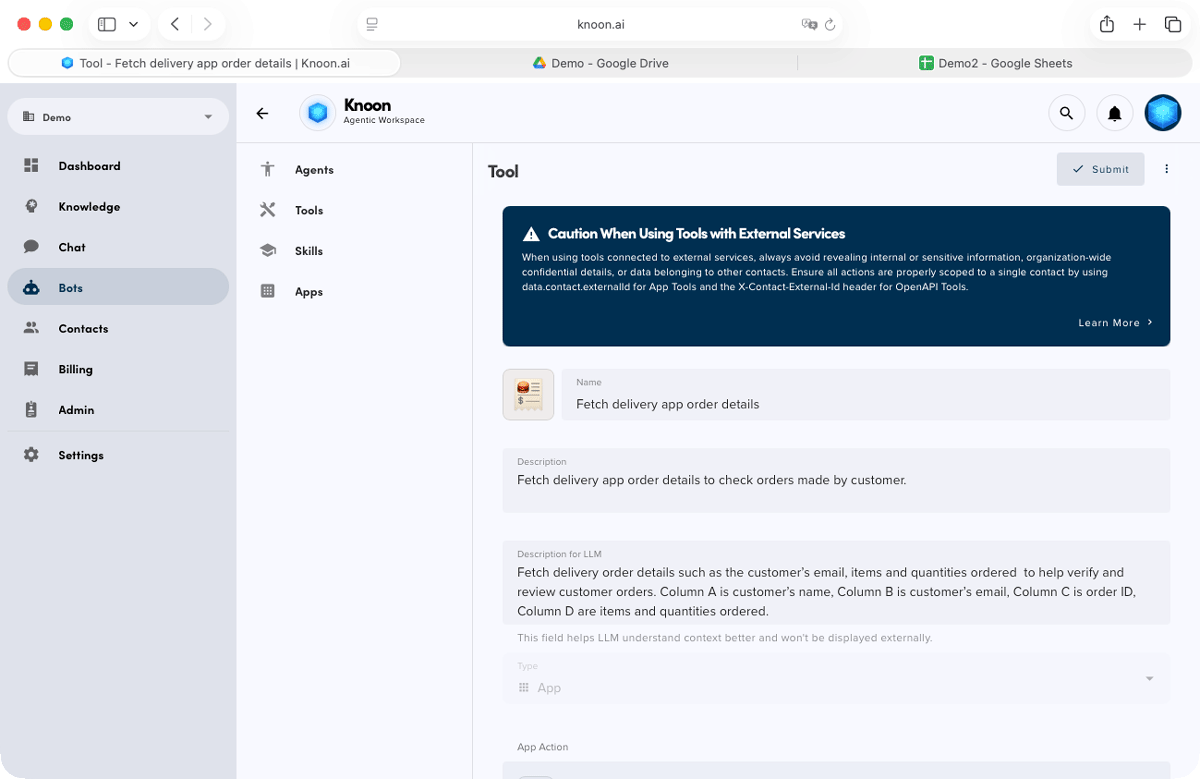
The delivery issue agent is equipped with a set of tools that allow it to function like a full customer service department, including:
- API to retrieve delivery order details
- API to submit missing item refund requests
- API to create compensation credits
- API to notify the restaurant about order issues
- API to log the case in your internal system
Nutrition Agent Tools
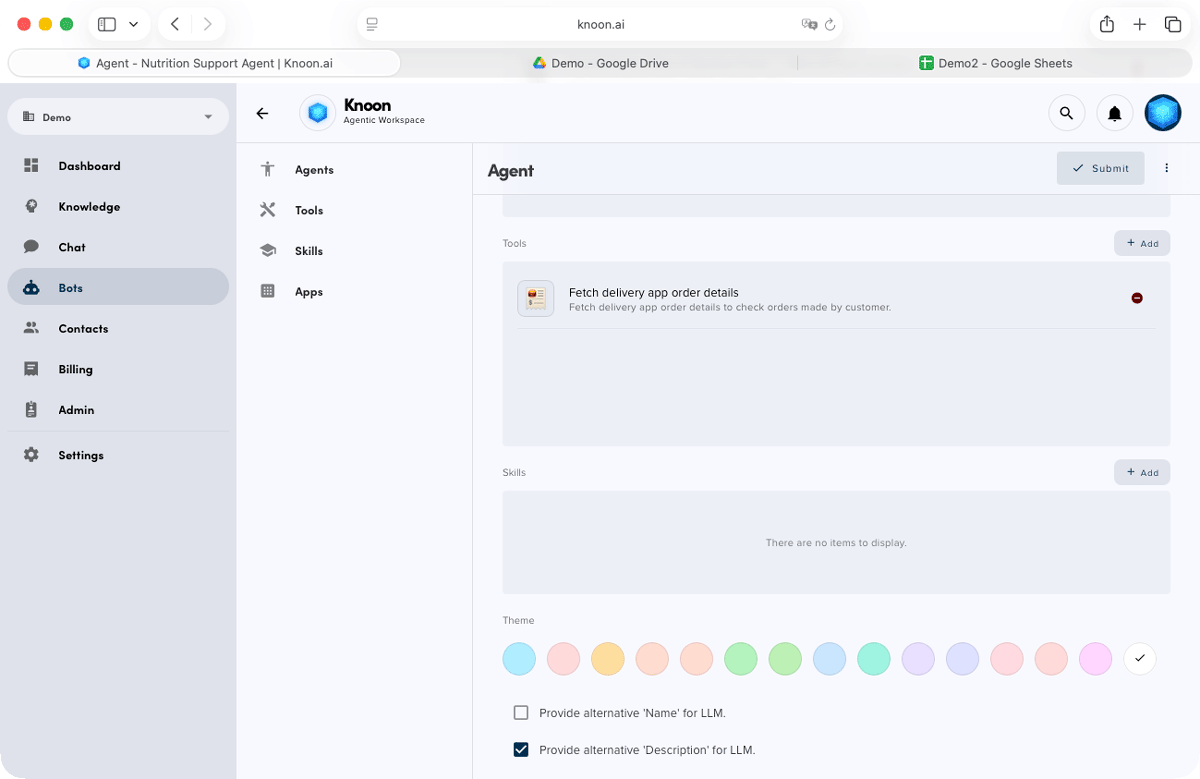
The nutrition support agent can be connected to tools that enable accurate and detailed responses, including:
- Optional integration with external nutrition databases
- Information stored directly in your knowledge base
Step 3: Teach Your Agents
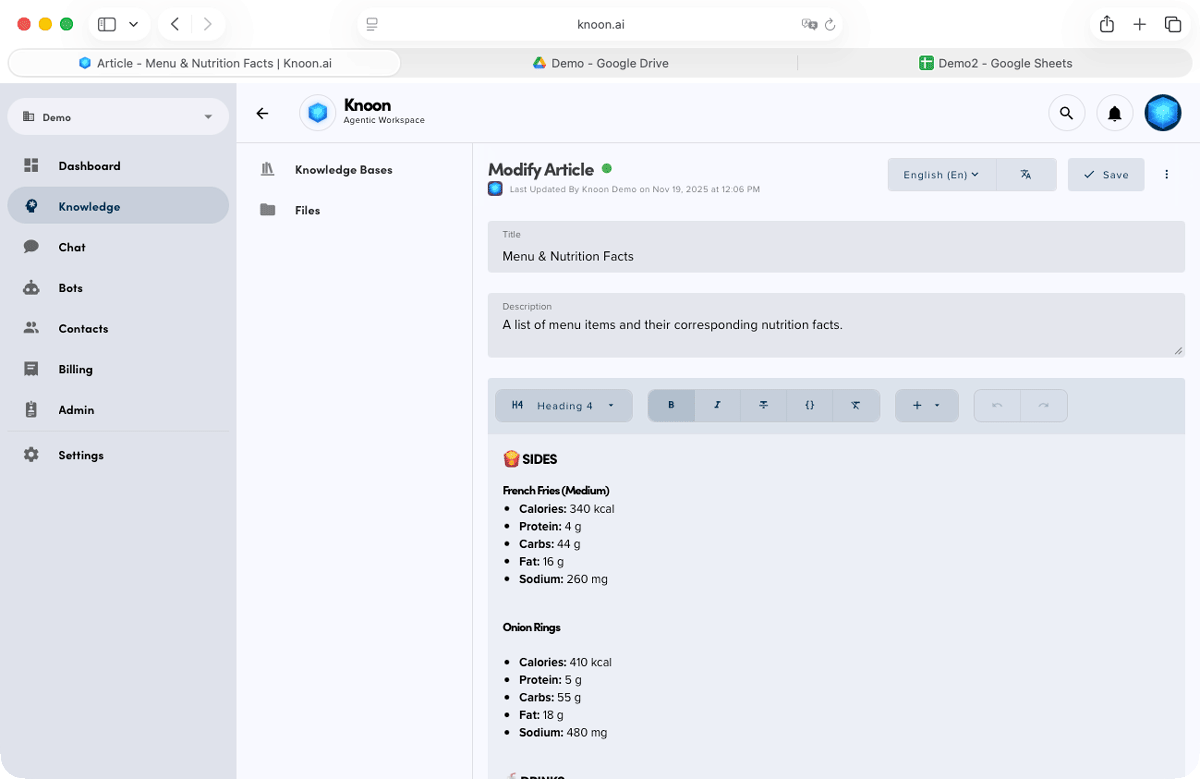
To teach your agents effectively, you can create knowledge base content and add agent instructions such as:
- Common delivery issues
- Refund policies
- Delivery partners and workflows
- Processing timelines
- Nutrition databases
- Frequently asked questions
- Step by step refund procedures
Knoon agents use this knowledge together with their connected tools to resolve customer issues automatically.
Step 4: Create a Chat Box
Next, create a customer-facing chatbox to bring all your agents together into one seamless support experience.
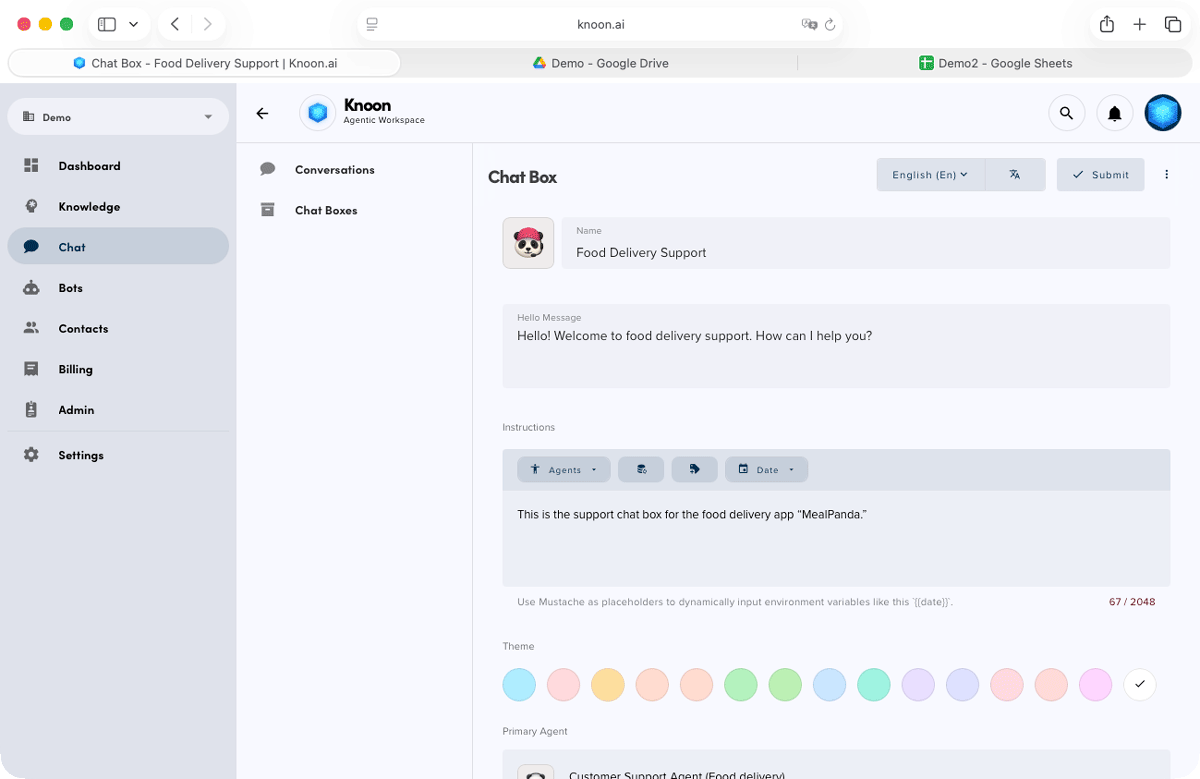
Add a simple instruction such as “This is a food delivery support chat box” so the chatbox understands its role and context when serving users.
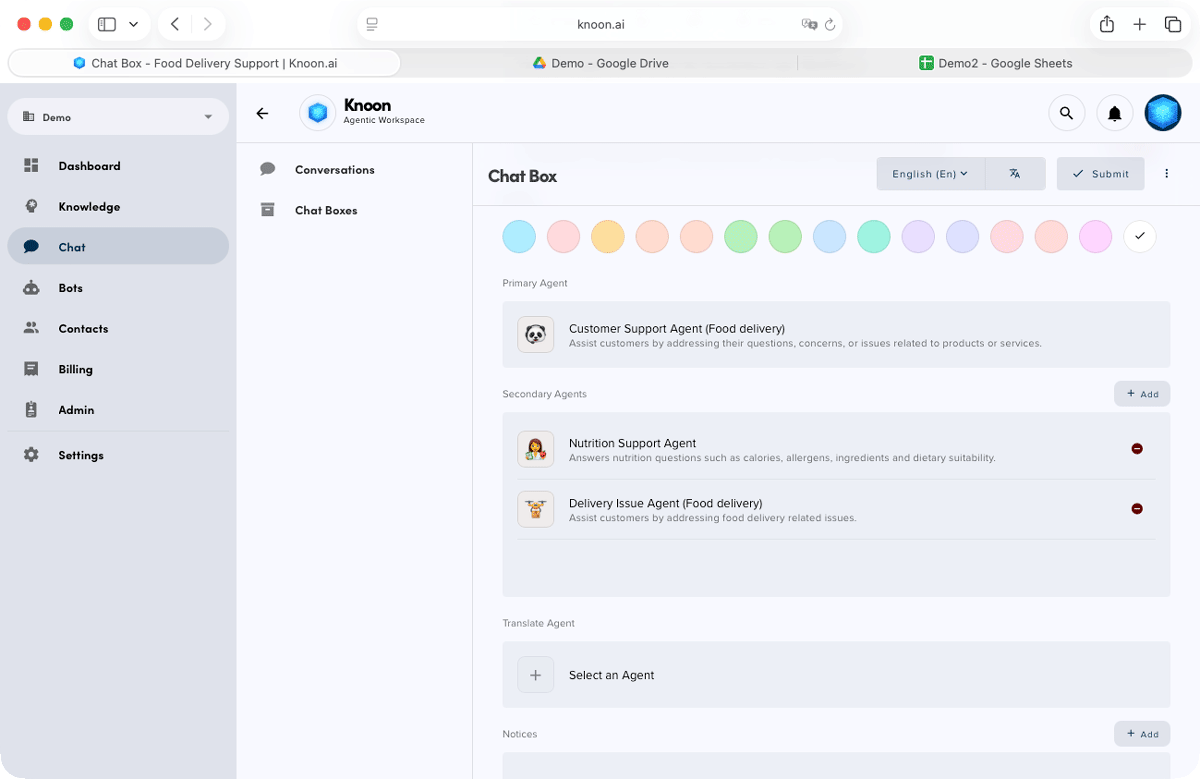
Assign a primary agent to handle general questions and perform agent routing. Then connect your specialised secondary agents, such as the nutrition support agent and delivery issue agent, to handle domain-specific tasks.
Demo the System (How It Works in Practice)
Example Chat Flow: Missing Item Refund
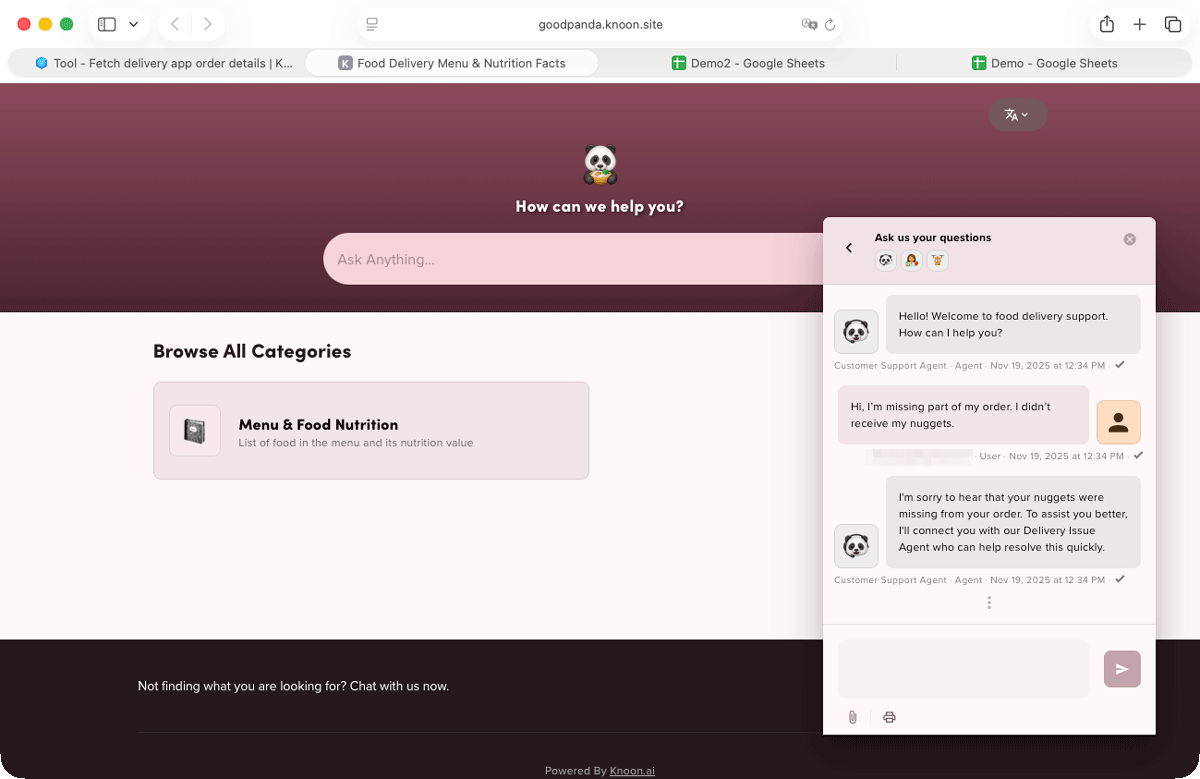
In this simplified demo, a customer logs into the food-delivery support chat (Bring your own authentication is supported in Knoon) and reports, “I’m missing my nuggets.” The main support agent recognises this as a delivery issue and delegates the conversation to the delivery issue agent.
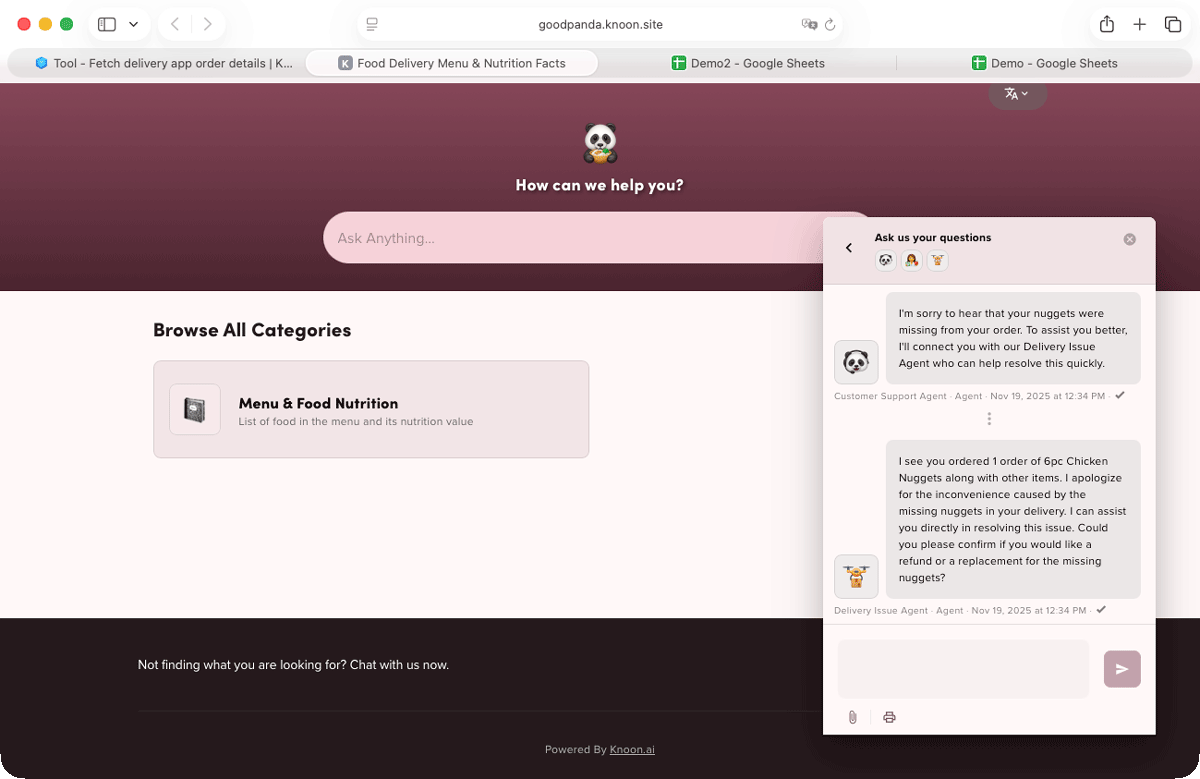
The delivery issue agent then gets to work. It matches the customer’s email with the records in Google Sheets, retrieves the order details, confirms that the 6-piece nuggets were indeed part of the order, verifies that they were not delivered, processes the refund automatically, and updates the internal system.
Finally, the agent responds with a confirmation message such as: “Thanks for the details. I’ve processed the refund for your nuggets. You will receive S$9.99 within two to three business days.”
Example: Nutrition Inquiry
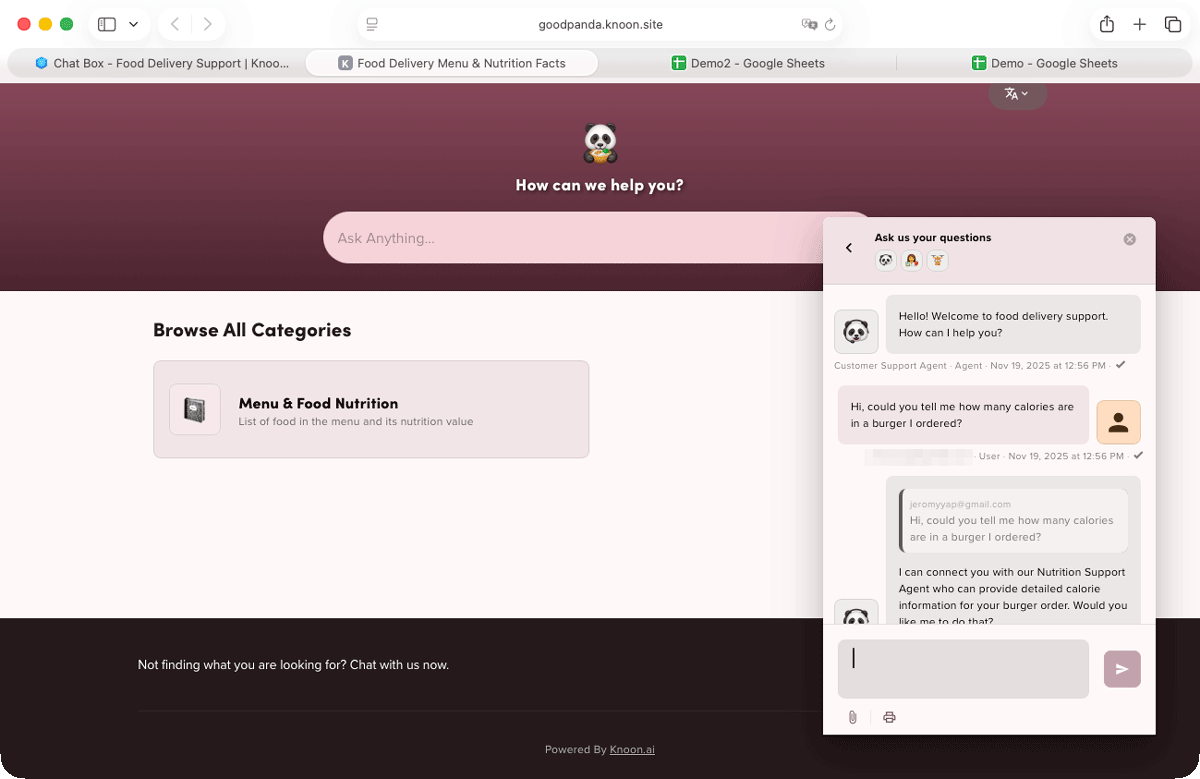
In this chat flow, a customer asks, “Hi, could you tell me how many calories are in a burger I ordered?”
The main support agent identifies the request as a nutrition inquiry and delegates it to the nutrition support agent.
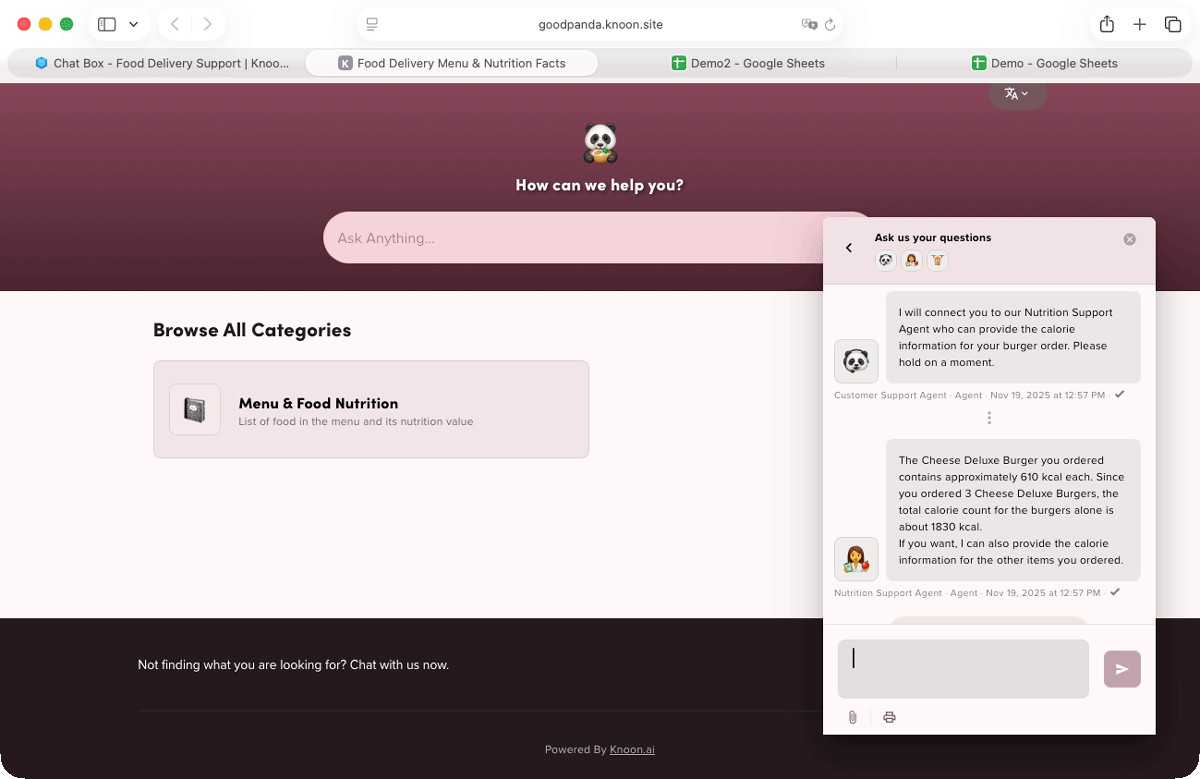
The nutrition agent retrieves the relevant details from the knowledge base, fetches the customer’s order using the connected tools, and then provides accurate calorie insights for the burger.
Example: Mixed Inquiries Using Visual Context and Intelligent Routing
A customer uploads a photo of their delivery invoice and asks, “I think the burgers are missing. Can you check this?”
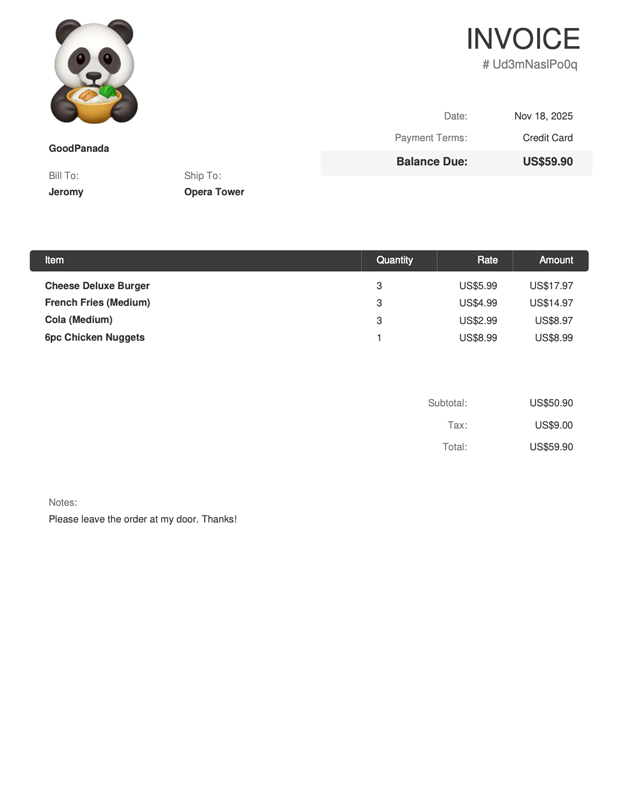
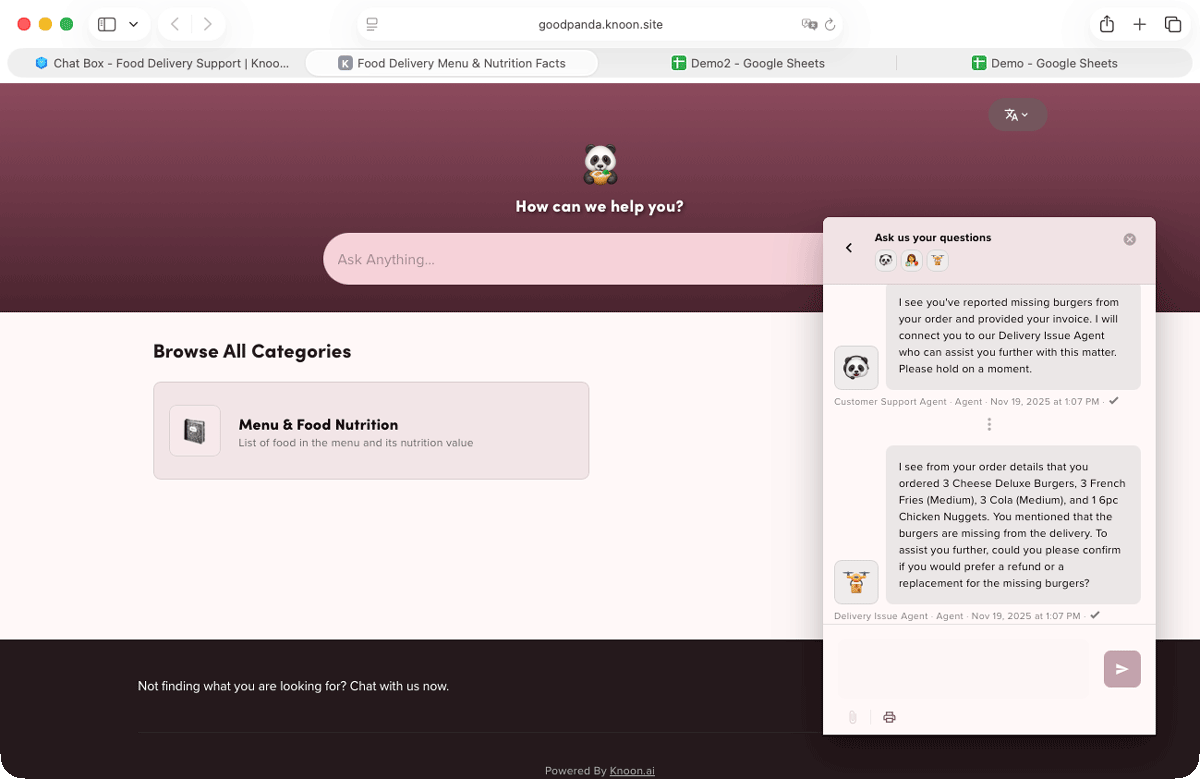
The main support agent uses visual context to read the invoice, extract the listed items, and match them against the customer’s order history via the Google Sheets tool.
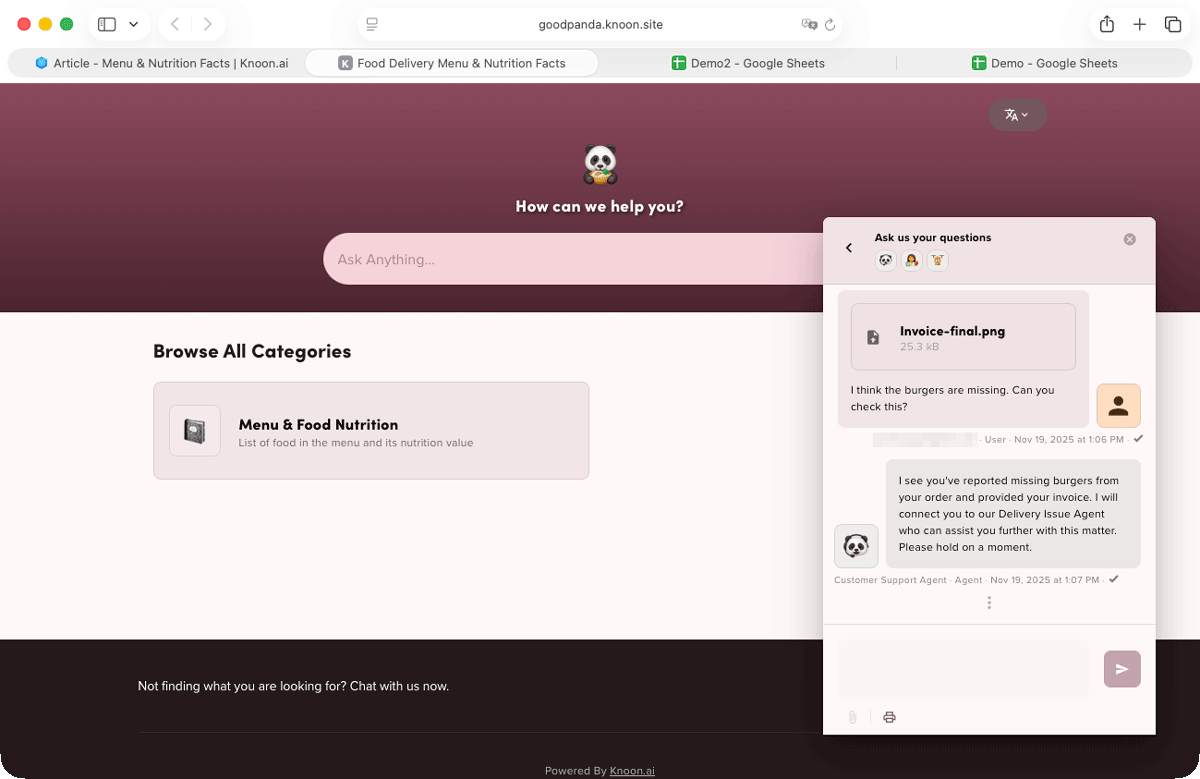
Realizing it is a delivery issue, the agent routes the conversation to the delivery issue agent. The delivery agent confirms which items are missing, determines refund eligibility, and processes the refund automatically.
Knoon gives you everything you need to create a powerful, end-to-end support system without complexity. You can deploy multiple specialized AI agents that handle routing, delegation, and deep domain tasks, all supported by real tool-based actions such as refunds, API calls, and customer profile lookups. Knoon’s built-in visual context capability lets agents read receipts and invoices, while its natural language capabilities eliminate rigid, linear chat flows.
The entire setup requires zero code, and the platform includes everything, CMS, knowledge base, chat, help desk, agent system, and AI tools, in one place.
Human intervention is available anytime, and the pricing is a simple, affordable flat fee with no hidden costs. The result is customer support that is faster, smarter, cheaper, more accurate, and far more delightful.